One Shared Notebook or a Digital Folder? Choosing a Group Record
Choose a shared notebook or digital folder by matching access, update habits, and search needs to how your group actually keeps and retrieves records.
After a neighborhood cleanup, someone writes the next meeting place on a flyer and slips it into a coat pocket. A shared group record can keep that detail from vanishing, but only if people know where to find it. Choosing between a shared notebook and a digital folder comes down to the group’s everyday habits.
What belongs in the record?
Start with what people need to remember. A record might hold recurring meeting details, local contacts, equipment-borrowing procedures, or the location of reusable supplies. Those items have different search needs. A phone number should be quick to locate; a note explaining why a procedure changed needs more context.
Separate durable reference information from short-lived notices. A notebook or folder can hold information meant for reuse. A message thread suits a reminder about tonight’s gathering, unless someone transfers the useful result into the record. Otherwise, current information gets buried among old reminders.
Agree on a modest scope. If the record exists to help people find meeting materials and understand recurring arrangements, say so on its first page or in its top-level folder. A record that tries to preserve every conversation can become difficult to maintain. One that omits details people repeatedly need will be ignored with admirable consistency.
Access and privacy
A shared notebook is available wherever its physical copy is kept. That can suit a club that meets in the same place, such as a community garden shed or a neighborhood association’s meeting room. No device, account, or network connection is needed. The limitation is equally plain: someone away from the location cannot consult it, and two readers cannot use the same copy at once.
A shared digital folder can be opened from different places and used by several people, provided they have access. Google Drive, Microsoft OneDrive, and Dropbox are familiar options; a group may already use an approved service. A folder is not accessible merely because it exists. Members may need an account, permission, a device, or a working connection. New participants may not know which link or login applies.
Consider the whole group, not just its most technically confident members. Ask whether people use smartphones, prefer computers, share devices, or avoid creating another account. For paper, check whether the meeting place is open when members need the information and whether the notebook has a dependable home. Accessibility is a practical condition, not a menu feature.
Limit personal information and access to it. A notebook left in a public room and a folder with broad sharing permissions can both expose details unnecessarily. Keep contact information only when the group has a clear use for it, and set access accordingly. For sensitive records, follow the group’s policies and seek appropriate advice rather than treating convenience as a privacy plan.
Updates and organization
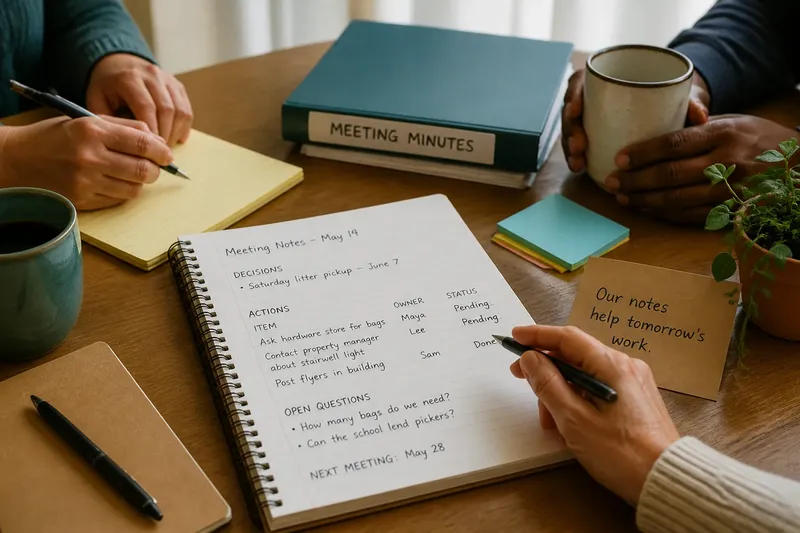
Paper makes quick notes easy. Someone can add a correction in the margin or write beside a storage shelf. Changes can also get messy: an old instruction may remain legible under a correction, and a loose sheet may never reach the main book. A simple convention helps. Date changes and strike through obsolete text rather than erasing its history.
Digital files are easy to revise cleanly, and many services allow several people to edit a document. That can also create competing versions or unexpected edits. “Current notes,” “current notes updated,” and an email attachment are not one record. Choose one location, use descriptive filenames, and state who may edit and who may view.
Match the format to the material. A short document is often easier to maintain than scanned pages. A spreadsheet can suit a changing inventory but may be awkward for narrative notes. A paper notebook is less suited to reorganizing a large archive. Neither medium supplies a sensible structure by itself.
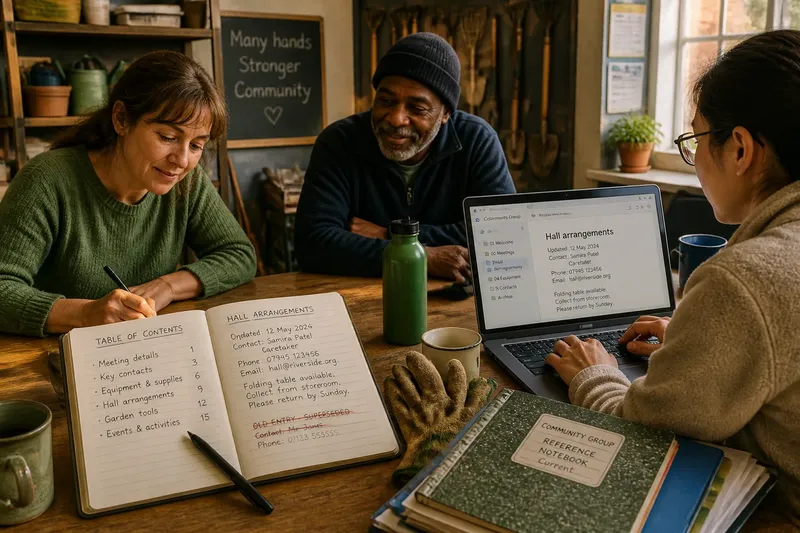
Say a volunteer group borrows a folding table from a nearby hall. Its starting point is an old notebook entry with no date and an unclear contact name. A member checks the arrangement with the hall caretaker, writes the confirmed contact method and date in the notebook, and marks the old entry as superseded. The next volunteer can then see which detail is current, while the older note remains legible as history. If the group keeps its record in Google Drive instead, the member can make the same update in a clearly named “Hall arrangements” document and remove an outdated contact detail.
Finding the right entry
A notebook is searched by memory and physical organization. A table of contents, labeled sections, page numbers, and clear dates help. If the group keeps several notebooks, distinguish them on their covers and decide which one is current. Readers should not have to inspect every shelf to learn whether the green book contains equipment notes or last year’s social calendar.
A digital folder offers search, but search works only when the record uses words people might enter. “Community garden tool storage” is easier to recognize than “Notes.” Use descriptive names, consistent dates, and a few plainly named folders. A small archive rarely needs a deep chain of folders.
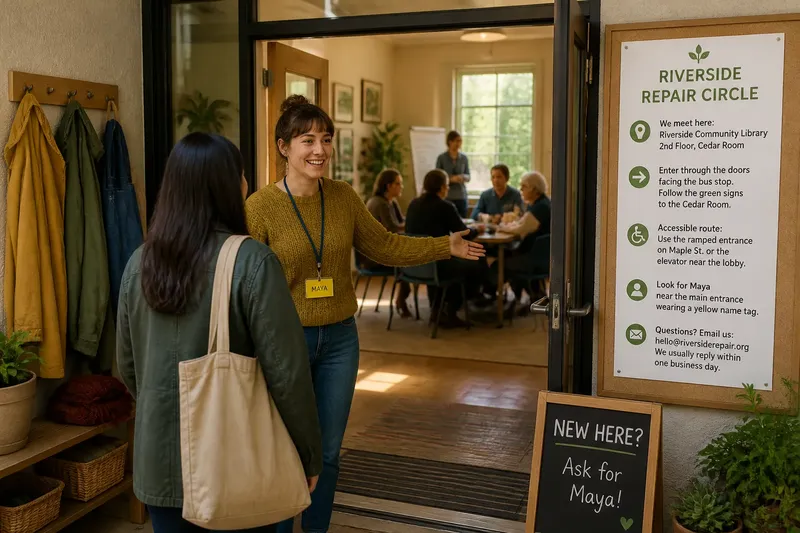
Consider the questions a newcomer might ask: Where do we meet? Who has the supply cupboard key? What did the group decide about shared equipment? Put answers under headings or filenames that resemble those questions. This does not require recording every conversation. It makes selected information easier to find without depending on someone’s memory.
Before creating a new document about a familiar subject, search the digital folder. For paper, check the contents page or index before adding another section. These small habits prevent parallel records that quietly disagree. If no one can tell which version to trust, both may go unused.
Choosing a group record
Different information can use different media. A group might keep core reference notes in a shared digital folder, use a paper notebook for temporary observations at gatherings, and transfer only lasting decisions. It might instead keep a notebook as the main record and use a digital page to explain where the book is and what it contains.
A hybrid arrangement needs one clear source for each fact. If an equipment list lives in a spreadsheet, the notebook should point to it rather than keep a second list that may go stale. If the notebook is authoritative, the digital folder should not imply that copied notes are current. A short note naming the current source prevents needless uncertainty.
Use these checks to choose a format. For each observation, follow the stated decision and alternative:
- Check where members need the record: if they need it mainly at one venue, choose a notebook kept there; if they need it from different places, use an accessible digital folder instead.
- Check whether intended readers can open the proposed format: if they can use it without extra accounts or help, proceed; if not, choose a format they can reach or provide a clearly maintained alternative.
- Check who will add information: if a small, named group can maintain it, give those people editing access; if many people need to contribute, set a simple update convention or assign a record keeper.
- Check how readers will search: if entries can be found through an index or descriptive filenames, keep that structure; if not, add headings, dates, or a contents page before expanding the record.
- Check which information is temporary: if it matters only before the next gathering, keep it in a reminder or message; if people will reuse it, transfer it to the shared record.
- Check whether personal details are necessary: if they are not needed, leave them out; if they are needed, restrict access and follow the group’s policies.
- Check how a new participant will identify the authoritative copy: if the location and current source are clear, retain the arrangement; if not, add a visible pointer and remove ambiguity about duplicates.
Write the decision in the record itself. Name its location, explain its purpose in a sentence, and identify a person or role responsible for keeping its organization understandable. The role can rotate. The location should not become a private mystery known only to the person who first set it up.
Questions about group records?
Can a shared notebook work for a group that meets only occasionally?
Yes, if members can reliably reach the place where it is kept and mainly need the record during or around gatherings. If people often need details between meetings, a physical copy may leave them waiting for the next visit.
Is a digital folder better for searching old decisions?
It can be, especially when documents have descriptive names and live in one agreed location. A folder full of vague filenames and duplicate drafts is searchable in theory and frustrating in practice.
Should the group scan its paper notebook?
Scanning can make selected pages easier to consult remotely, but image files may be hard to search or update. If the group scans pages, name files clearly and decide whether the scan or notebook is the current record.
What if members prefer different formats?
Use the format that serves as the main record, then provide a clear pointer for people who use the other one. Keep one authoritative version for each subject so a preference for paper or screens does not produce conflicting answers.
A record people use
The best shared notebook or digital folder is one the group can keep orderly without turning recordkeeping into a separate hobby. Choose a place members can reach, a format they can update, and names that make sense to someone who was not present when the record began. For a small group, that may be a labeled notebook beside the meeting supplies; for a dispersed group, it may be a shared folder with one obvious starting point.
Make the first entry useful to the next reader: state what the record covers, where its current material lives, and how to add a correction. That small orientation gives shared knowledge a place to stay, while leaving people free to spend the gathering on the reason they came.